KB0018 - Grant administrative privileges to a user account on
a Windows XP PC
The information in this articles applies to:
•
Living Cookbook (all versions)
•
Windows XP Home Edition and Windows XP Professional
Note
You must have administrative privileges in order to install Living
Cookbook and run Living Cookbook in demo mode. Administrative privileges
are not required to run Living Cookbook once it is registered.
Procedure
1.
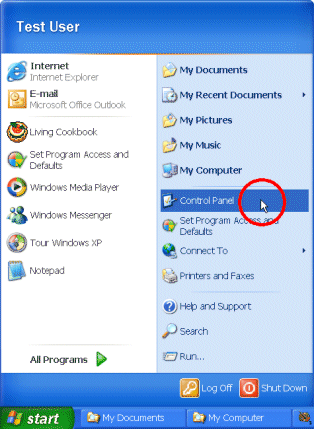
Click the Start menu and then click Control Panel.
2.
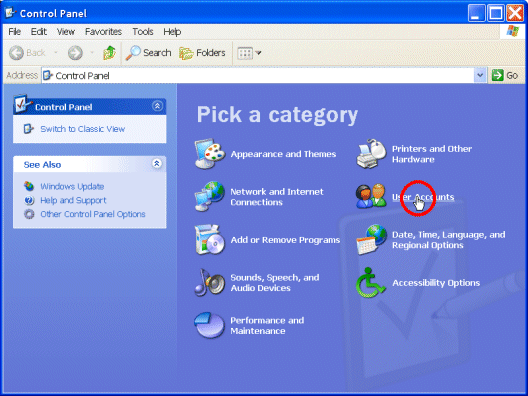
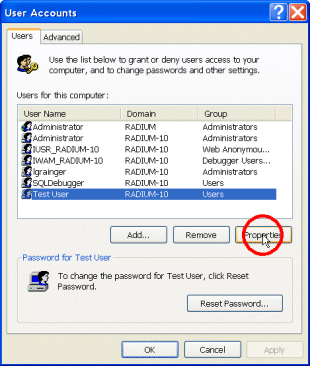
The Control Panel window will open. Click User Accounts.
3.
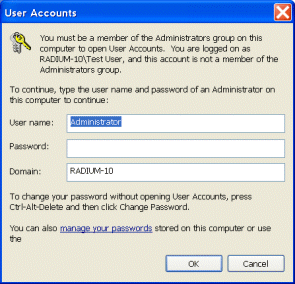
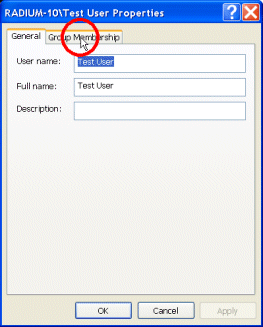
In order to change the properties of a user account you need
to enter the user name and password of an Administrator on your
computer. Click OK.